The Key Management Tool 5 provides options that will help you to transfer storage keys from one Security World to another. This topic outlines the procedure to transfer the storage key and migrate the BLOB data from one Security World to another.
Options 12 to 20 of the Key Management Tool will not be displayed if your Security World has been initialized with strict FIPS 140-2 Level 3 mode.
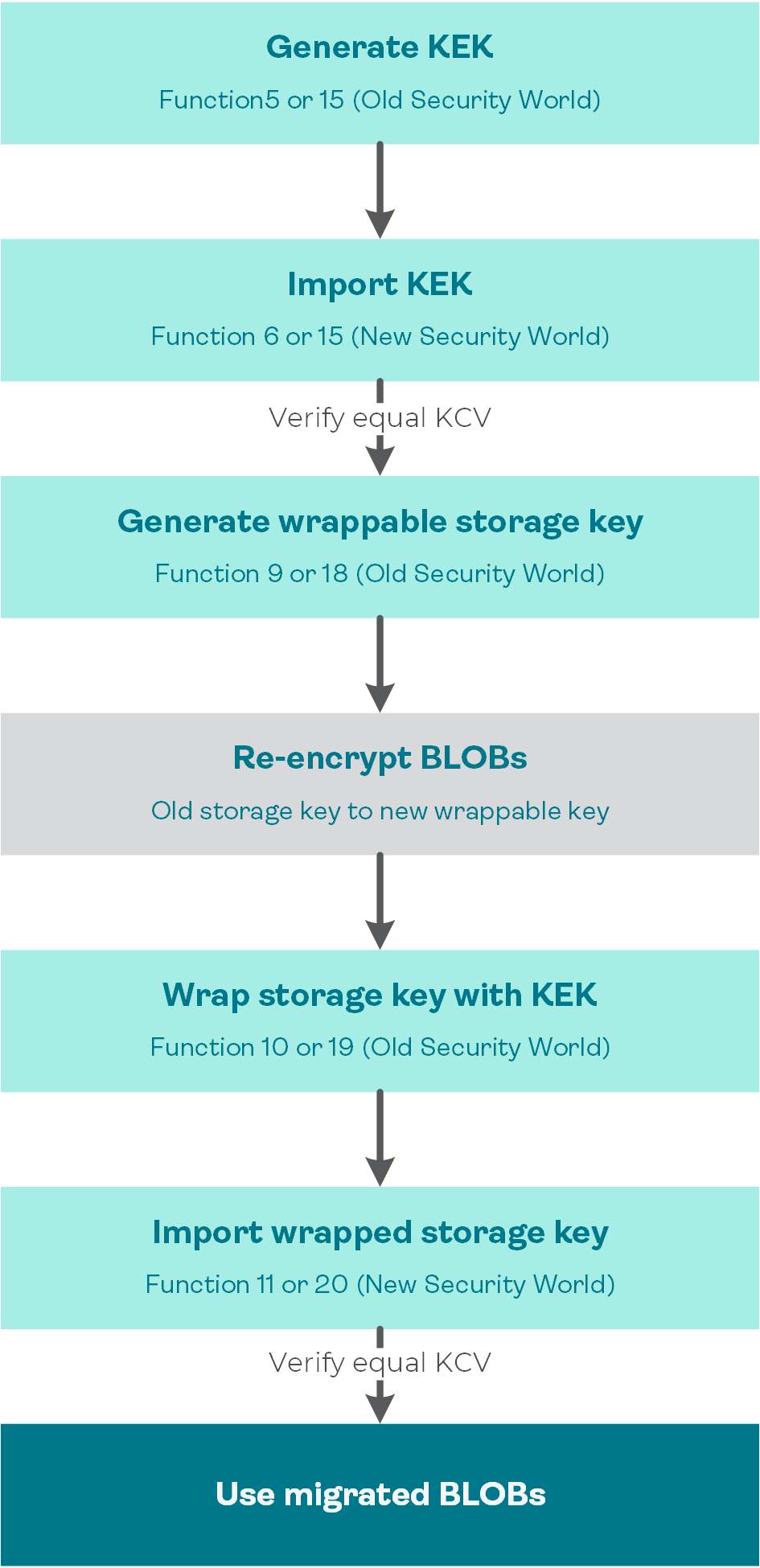
HSM storage key migration workflow (overview)
To transfer a storage key from one Security World to another
On the old Security World, create an export key encrypting key (KEK) that you need to share between both Security Worlds. Depending on the security level, use function 5 (or 14): Generate a Key Encrypting Key (see Generate the KEK with custodians export).
Import the new KEK into your other Security World. Depending on the security level, use function 6 (or 15): Import a Key Encrypting Key (see Import the customer's KEK with custodians import).
On both Security Worlds, list your keys using function (1): List all the available Keys and verify that your KEKs display the same KCV value on each side.
On the old Security World, create a new storage key and indicate that it will be wrapped by your previously created KEK when prompted. Depending on the security level, use function 9 (or 18): Generate a Wrappable Storage Key.
For more information, see HSM-level BLOB storage key.
Create a full backup of your BLOB database. This backup is encrypted using the existing storage key.
You may also consider to create a separate database to keep the migrated BLOBs for the purpose of migration.
Migrate your BLOB data from your existing storage key to the newly created wrappable storage key.
Wrap the new storage key to allow importing it later into the new Security World. Depending on the security level, use function 10 (or 19): Wrap a Storage Key with a KEK.
Follow the procedure Export the HSM-level DPX transport key wrapped by the KEK but use your wrappable storage key instead of the DPX transport key.
On the new Security World, import the new storage key. Depending on the security level, use function 11 (or 20): Import a KEK Wrapped Storage Key.
Follow the procedure Import the HSM-level DPX transport key wrapped by the KEK but use your wrappable storage key instead of the DPX transport key.
On both Security Worlds, list your keys using function (1): List all the available Keys and verify that your storage keys display the same KCV value on each side.
Continue to use your migrated BLOBs in your new Security World using the newly imported storage key.
(OPTIONAL) On the new Security World, create a new storage key using function 3: Generate an AES Storage Key (or function 12: Generate a Storage Key) and migrate your BLOB database to use that key.
This step is optional and depends on your environment, but it is recommended as an additional security measure if there is a risk that an attacker or other unauthorized party could intercept both the KEK components and the wrapped key value.